About Laboryx App
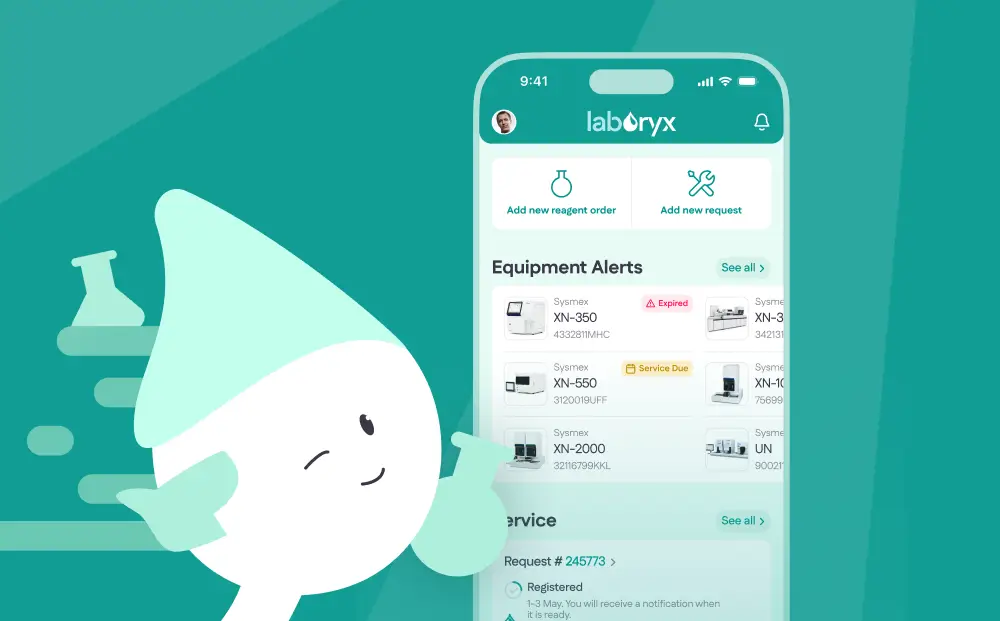
Laboryx is a mobile application for managing laboratory equipment, maintenance services, and reagent orders. The app will be useful for lab administrators, department heads, and service engineers. Thanks to the app, equipment monitoring, maintenance scheduling, reagent ordering, and quality control will be easier and more convenient than ever!
Development Goals
- Automation of maintenance services.
- Reduction of equipment downtime.
- Simplified reagent ordering for equipment.
- Streamlined documentation (certificates, orders).

User Story
User Stories (20+ scenarios) helped define key functionalities for laboratory administrators, service engineers, and managers. Use Case diagrams provided a clear visual representation of complex processes, such as service request management and reagent ordering. This analysis enabled us to design a user-friendly interface where essential operations — like tracking maintenance schedules or placing urgent supply orders — can be completed quickly and efficiently.
Wireframes
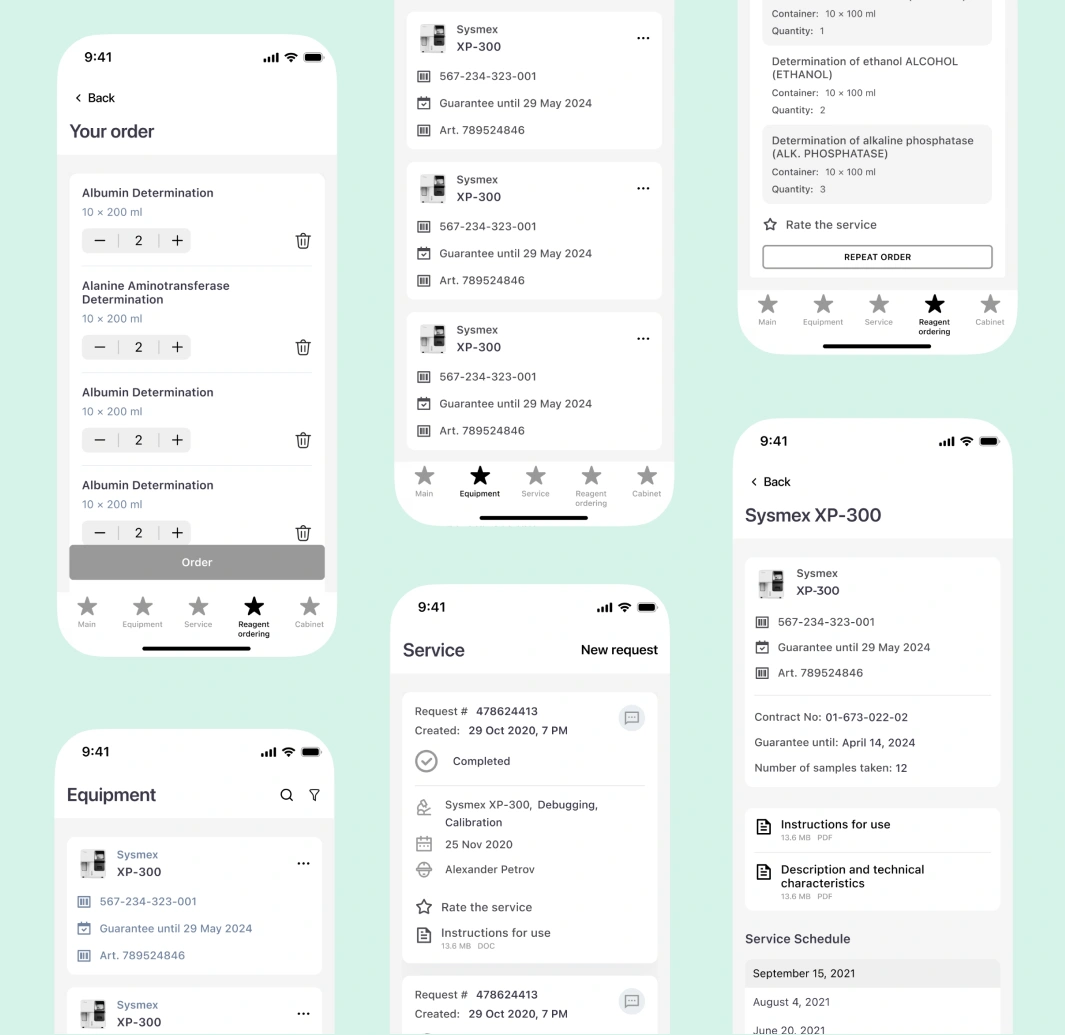
Interactive Figma prototypes enabled rapid testing of key scenarios: a dashboard with maintenance widgets, equipment cards, and streamlined request forms.
App Style
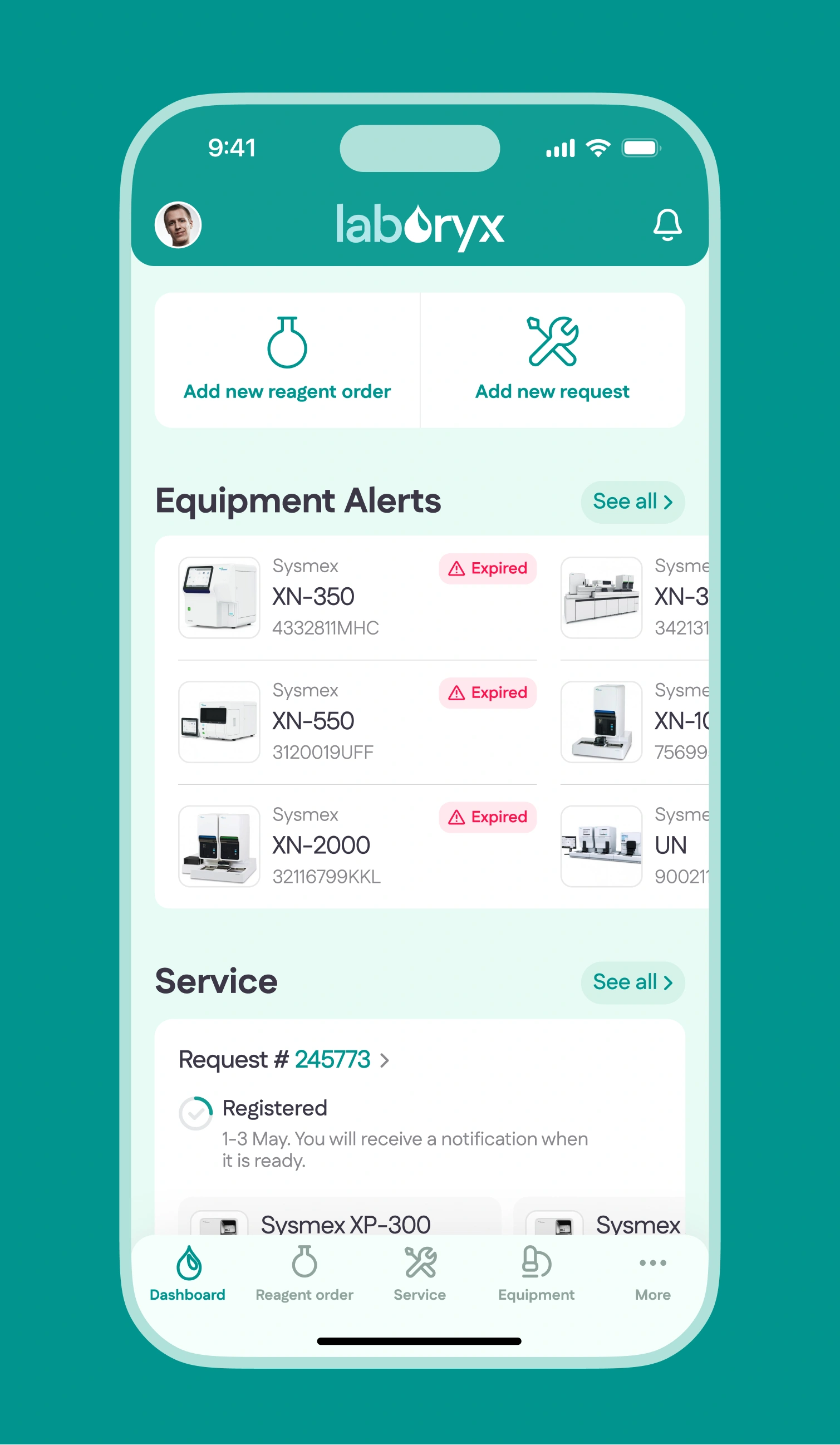
We developed a concise visual language that seamlessly blends brand identity with iOS and Android guidelines.


Structure
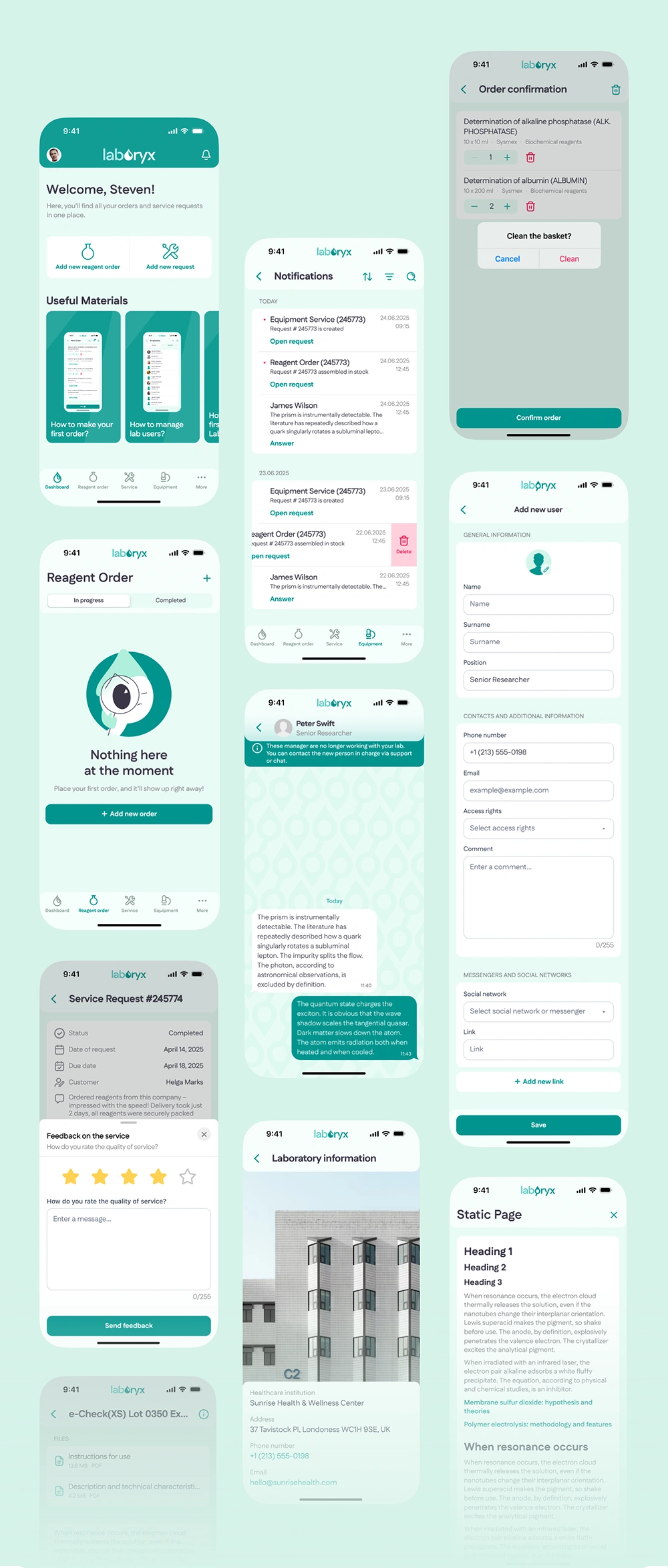
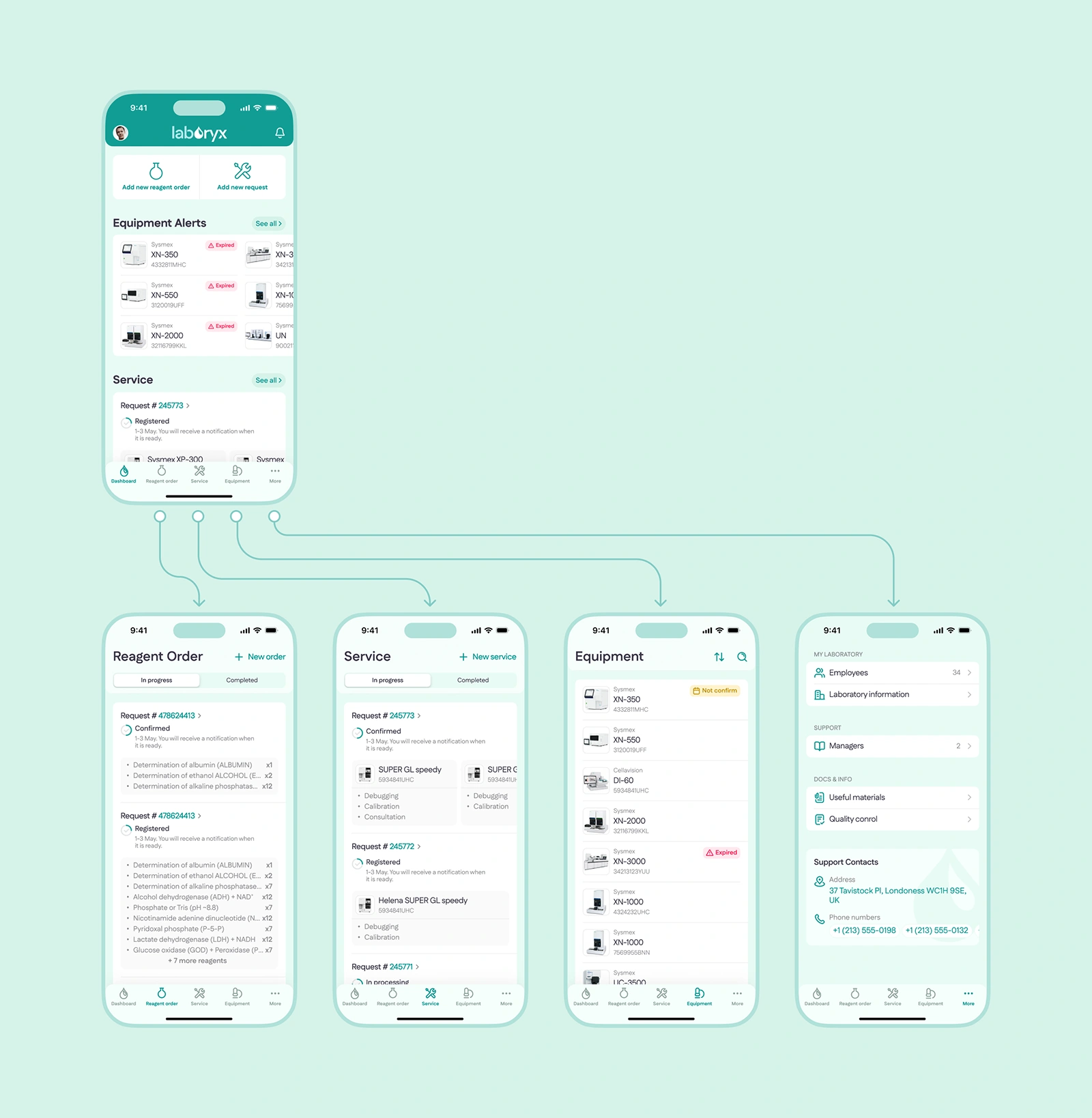
We designed intuitive navigation by combining Material Design and Human Interface Guidelines principles. Key sections (equipment, service, reagents) are accessible within 1-2 taps. Frequently used functions (creating requests, checking maintenance) were placed on the dashboard, while urgent actions (overdue service) were highlighted with color and icons. This solution provides instant access to 95% of functionality without deep menus, while maintaining a clean interface.


Authorization and access to the dashboard
The app features a simple login form for authentication. Upon successfully entering their credentials, users are immediately directed to the main dashboard displaying up-to-date equipment status and service requests.
Equipment
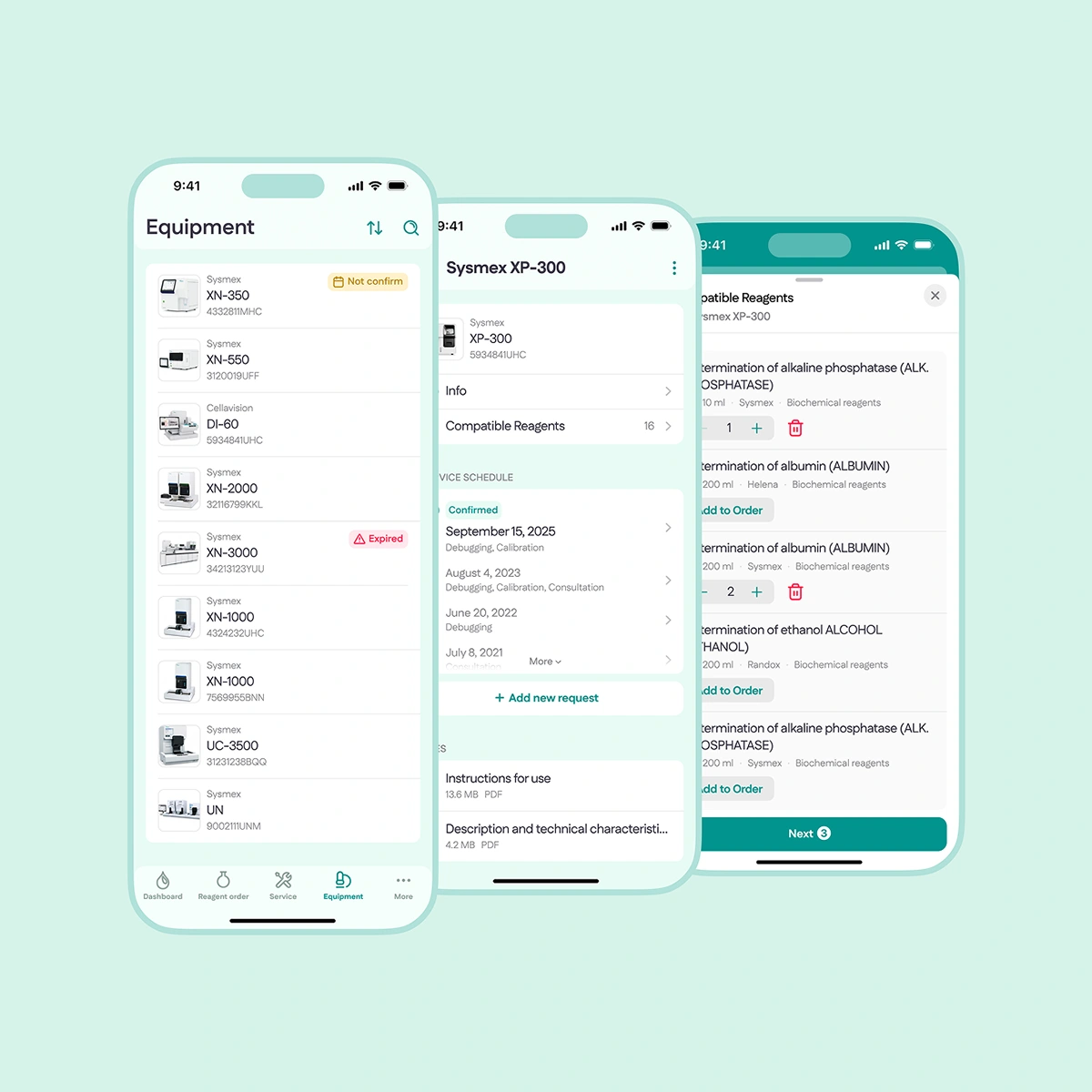
The app features a user-friendly equipment catalog with filters for status, warranty, and recent maintenance. Each device profile displays comprehensive information - from technical specifications to full service history.
Service
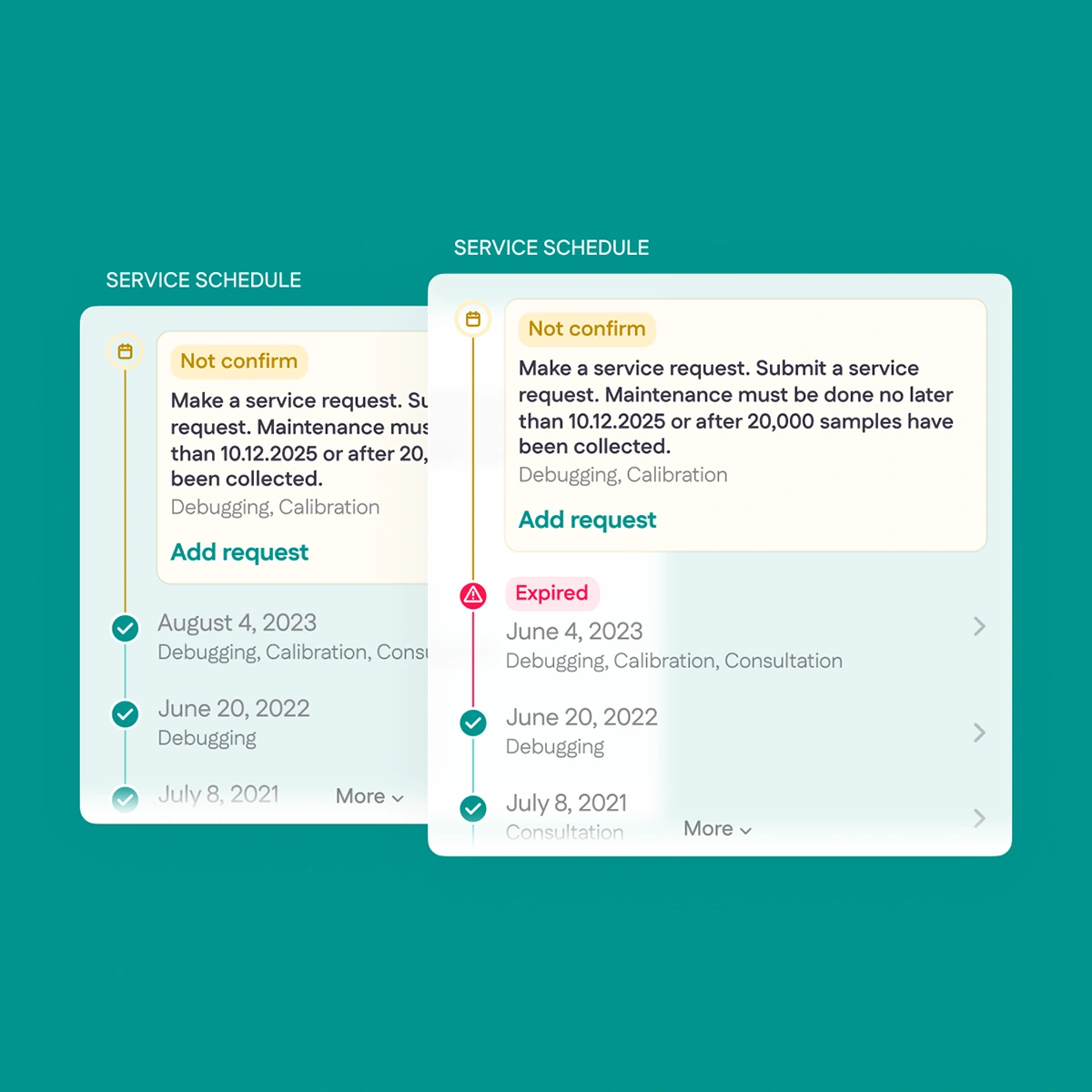
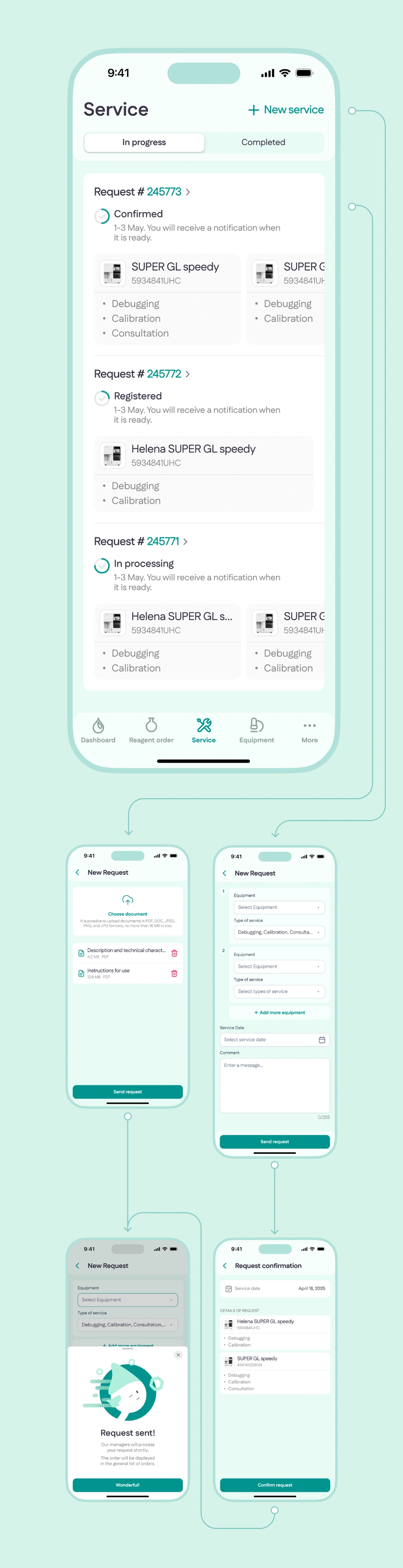
This section enables users to quickly create repair and maintenance requests, track their status in real time, and view equipment service history.
Reagent Order
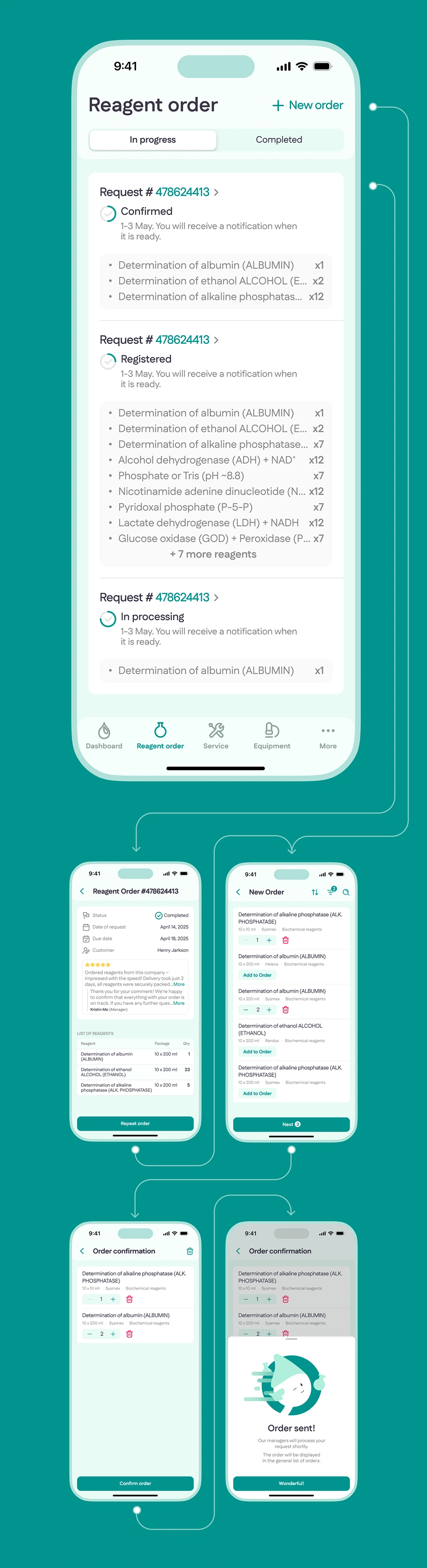
This section allows users to quickly create orders from a catalog of compatible supplies, specify quantities, and submit requests to managers. Previous order history is always readily available.
Other screens
All other application sections are implemented with the same attention to detail. Access to quality control, settings, and analytics is straightforward and requires minimal navigation.